
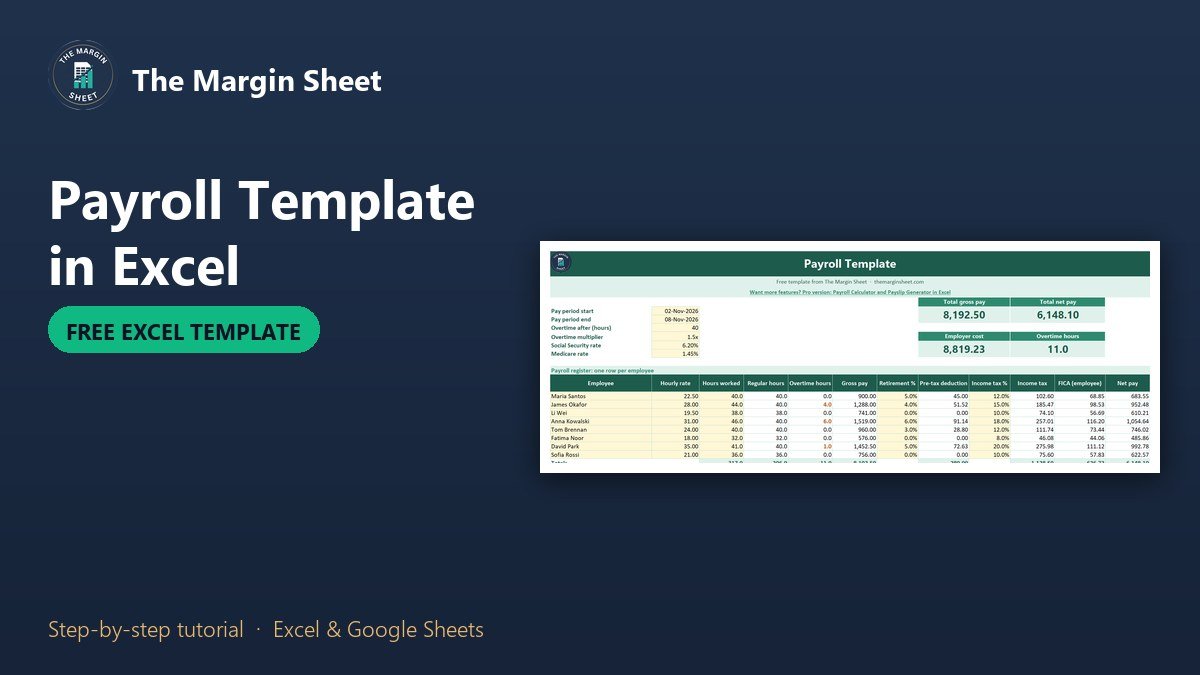
A payroll template in Excel turns hours and hourly rates into gross pay, overtime, deductions and net pay for every employee. Gross to net is just gross pay minus retirement, income tax and payroll taxes. In the free template below, eight employees earn 8,192.50 gross in one week and take home 6,148.10, and a check cell confirms the books balance.
Free download
Payroll Template practice file (.xlsx)
Working formulas, sample data and a How to use sheet. Opens in Excel, or import it into Google Sheets.
Watch the full step-by-step video:
What a payroll sheet has to do
Payroll looks complicated, but each row follows the same short path. Work out the hours, split them into regular and overtime, multiply by the rate, take off the deductions and arrive at the money that goes to the bank. Most mistakes happen when one of those steps lives in somebody’s head instead of in a cell.
This sheet keeps every step visible. Yellow cells are inputs, every other number is a formula, and a check cell tells you when the register does not add up. It is built for small teams that run payroll weekly. If you also keep your books in Excel, it fits beside the bookkeeping template.
What is inside the free payroll template
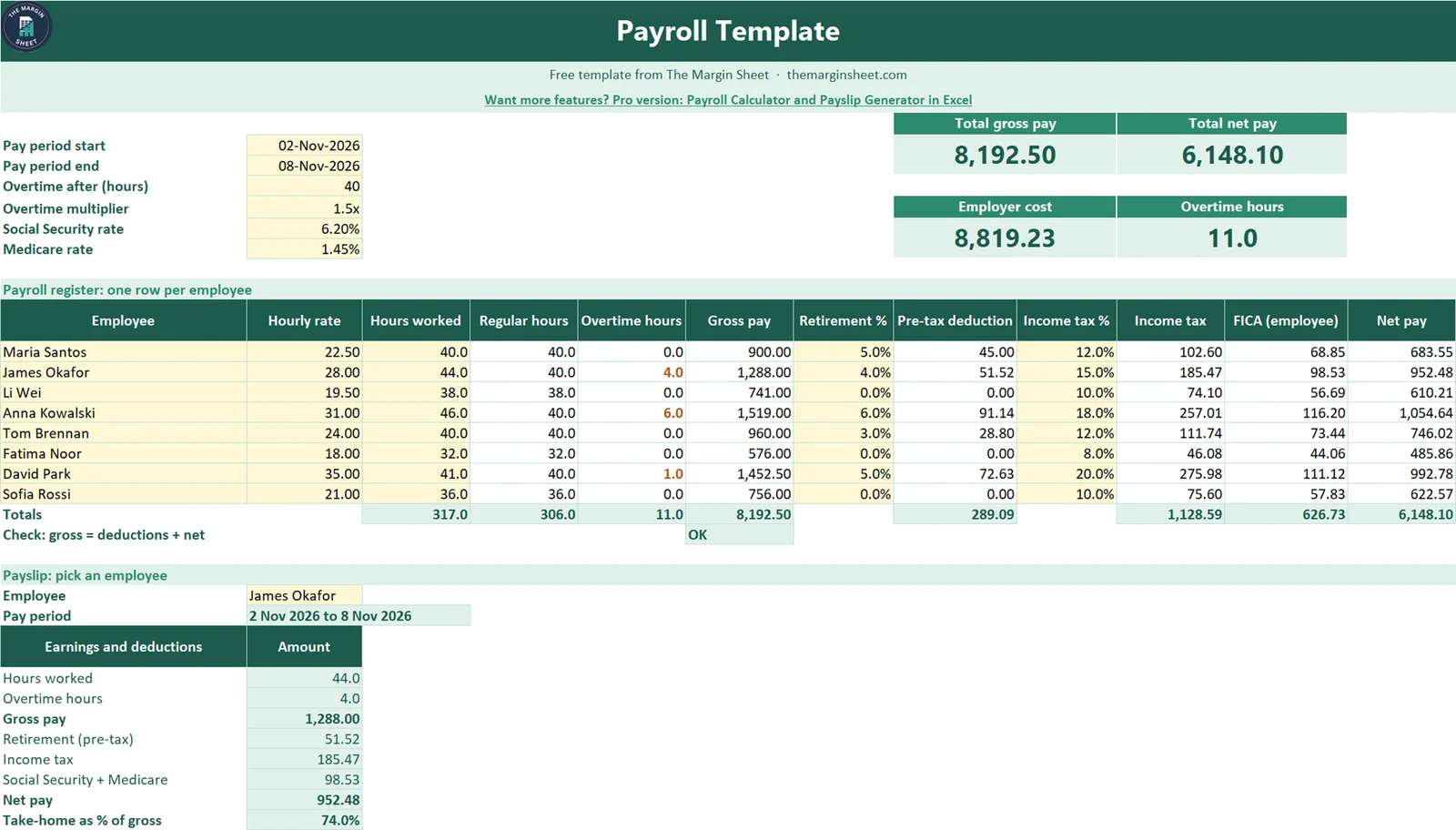
The workbook has a How to use sheet and one Payroll sheet. It has no macros and works in Google Sheets. Four cards at the top show total gross pay, total net pay, employer cost and overtime hours. Below them is the register with one row per employee, and under the register sits a payslip you choose from a drop-down.
The sample data is made up. The pay week runs from 2 to 8 November 2026, overtime starts after 40 hours at 1.5 times the rate, and the payroll tax rates are 6.2% Social Security plus 1.45% Medicare.
Who this payroll template is for
- A small business owner who pays a handful of hourly staff and wants a clear record each week.
- A freelancer or shop owner who hires part-time help and needs to see the real cost of an hour.
- A student or new bookkeeper learning how gross pay becomes net pay.
This is educational content, not tax or legal advice. Real payroll rules differ by country and state, so confirm the rates with your accountant or payroll provider.
How to build the payroll calculation step by step
The inputs sit in B5:B10. The register starts in row 14. Employee names are in column A, rates in column B and hours in column C.
Step 1: Split regular and overtime hours
Overtime is every hour above the threshold in B7. In D14 take the smaller of the hours worked and the threshold:
=IF(C14="","",MIN(C14,$B$7))
In E14 take whatever is left above the threshold, and never let it go below zero:
=IF(C14="","",MAX(0,C14-$B$7))
James Okafor worked 44 hours, so the sheet shows 40 regular and 4 overtime hours. The empty test keeps unused rows blank instead of showing zeros.
Step 2: Calculate gross pay
Regular hours are paid at the rate. Overtime hours are paid at the rate times the multiplier in B8. In F14:
=IF(C14="","",D14*B14+E14*B14*$B$8)
For James that is 40 times 28 plus 4 times 28 times 1.5, which gives 1,120 plus 168, or 1,288.00. Anna Kowalski worked 46 hours at 31 an hour and earns 1,519.00.

Step 3: Take off the pre-tax deduction
A retirement contribution comes off before income tax. Each employee has their own percentage in column G. In H14:
=IF(C14="","",F14*G14)
James puts in 4%, which is 51.52. Li Wei puts in nothing, so her deduction shows 0.00. Because it is taken before tax, it also lowers the income tax in the next step.
Step 4: Work out income tax
Income tax is charged on gross pay after the pre-tax deduction. The rate for each person is in column I. In J14:
=IF(C14="","",(F14-H14)*I14)
James has 1,288.00 less 51.52, which leaves 1,236.48. At 15% the tax is 185.47. This sheet uses one flat rate per person to keep the idea clear. Real withholding uses brackets and forms, so treat the rate as a placeholder for what your provider gives you.
Step 5: Add Social Security and Medicare
Payroll taxes are a percentage of gross pay. The employee share comes from the two rates in B9 and B10. In K14:
=IF(C14="","",F14*($B$9+$B$10))
That is 7.65% of 1,288.00, or 98.53 for James. The employer pays a matching share on top, which is why the employer cost card is not the same as the gross total.
Step 6: Find net pay
Net pay is gross pay minus every deduction. In L14:
=IF(C14="","",F14-H14-J14-K14)
James takes home 952.48. Across all eight employees the totals row shows 289.09 of retirement, 1,128.59 of income tax and 626.73 of payroll tax, which leaves a net payroll of 6,148.10.
Step 7: Add a check that catches errors
A payroll that does not add up is worse than none. Add one cell that compares the totals. In F23:
=IF(ROUND(F22-H22-J22-K22-L22,2)=0,"OK","Check rows")
It shows OK here. If someone overwrites a formula with a typed number, this cell turns into Check rows and tells you before the payments go out.
Create a payslip with INDEX and MATCH
Every employee should get a simple slip. Choose a name in B26 from the drop-down, then pull each figure from the register. For net pay in B35:
=IFERROR(INDEX($L$14:$L$21,MATCH($B$26,$A$14:$A$21,0)),"")
The other lines work the same way with a different column. Pick Anna Kowalski and the slip shows 1,519.00 gross and 1,054.64 net. The take-home percentage in B36 divides net by gross, so James keeps 74.0% of what he earns. Save the sheet as a PDF for each person and you have a payslip.
Employer cost is more than gross pay
The third card shows an employer cost of 8,819.23. That is gross pay of 8,192.50 plus 626.73 of matching payroll tax. It still leaves out items such as insurance, unemployment tax and benefits, so the true cost of an hour is higher. Use the card as a floor when you price a job or plan cash. To see how wages flow into your profit, open the profit and loss template, and to plan the weeks when payroll is due, use the cash flow forecast.
Common mistakes
- Paying overtime on every hour. Only the hours above the threshold earn the multiplier.
- Taxing the pre-tax deduction. Retirement comes off before income tax, so use gross minus the deduction.
- Typing over a formula. One pasted number breaks the totals. The check cell exists to catch this.
- Forgetting the employer share. Your cost is higher than the gross total.
- Using a flat rate for real filings. The sample rates teach the logic. Real withholding follows official tables.
- Keeping one file for every week. Save a copy per pay period so you always have a record.
Adapt the payroll template to your business
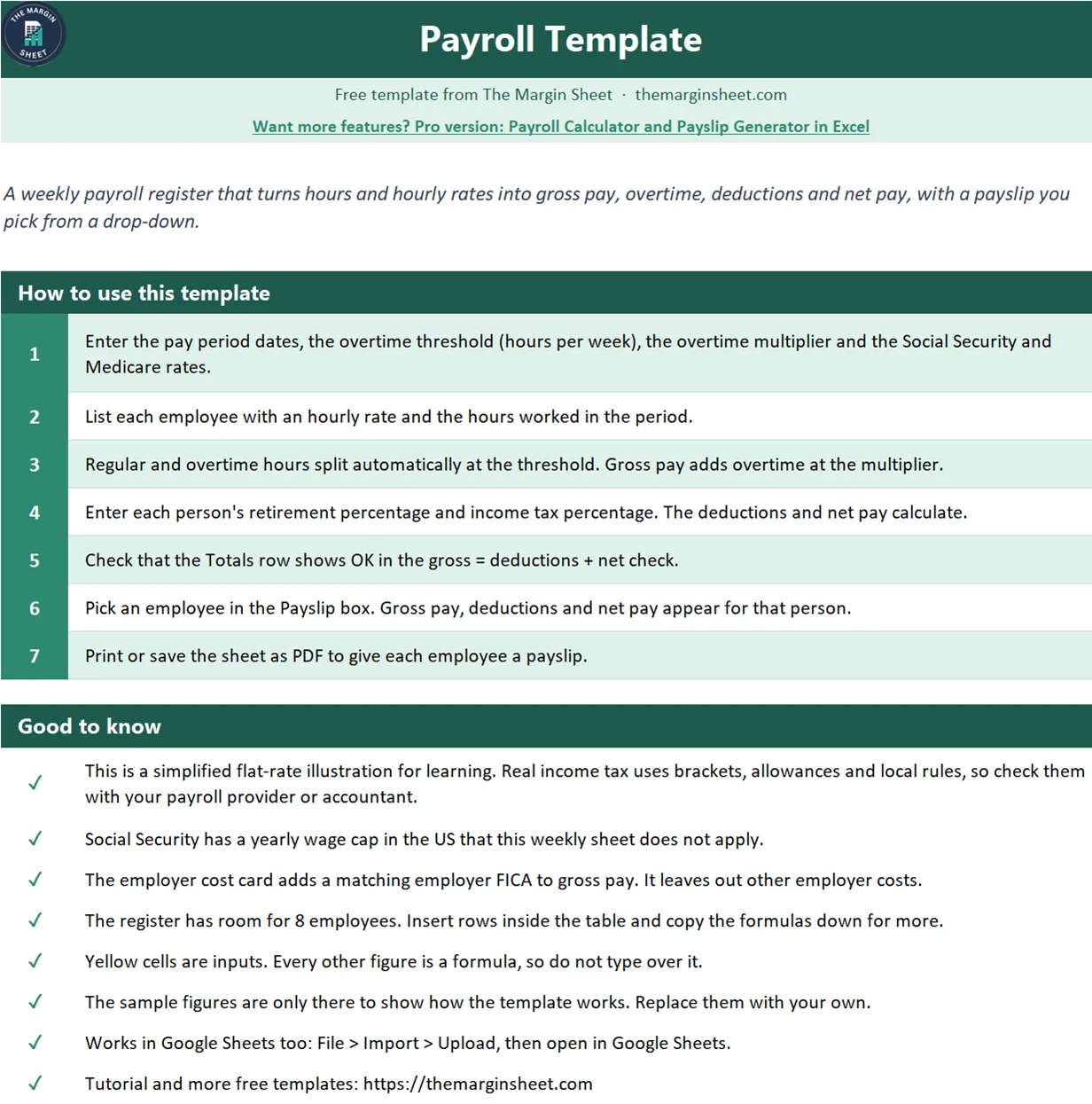
Replace the sample names, rates and hours with your own. Change the overtime threshold and multiplier to match your local rules. For more than eight people, insert rows inside the table and copy the formulas down. Salaried staff are easy as well: enter the weekly pay in place of the rate and set the hours to 1. New to the site? Read start here.
Want more than the free file?
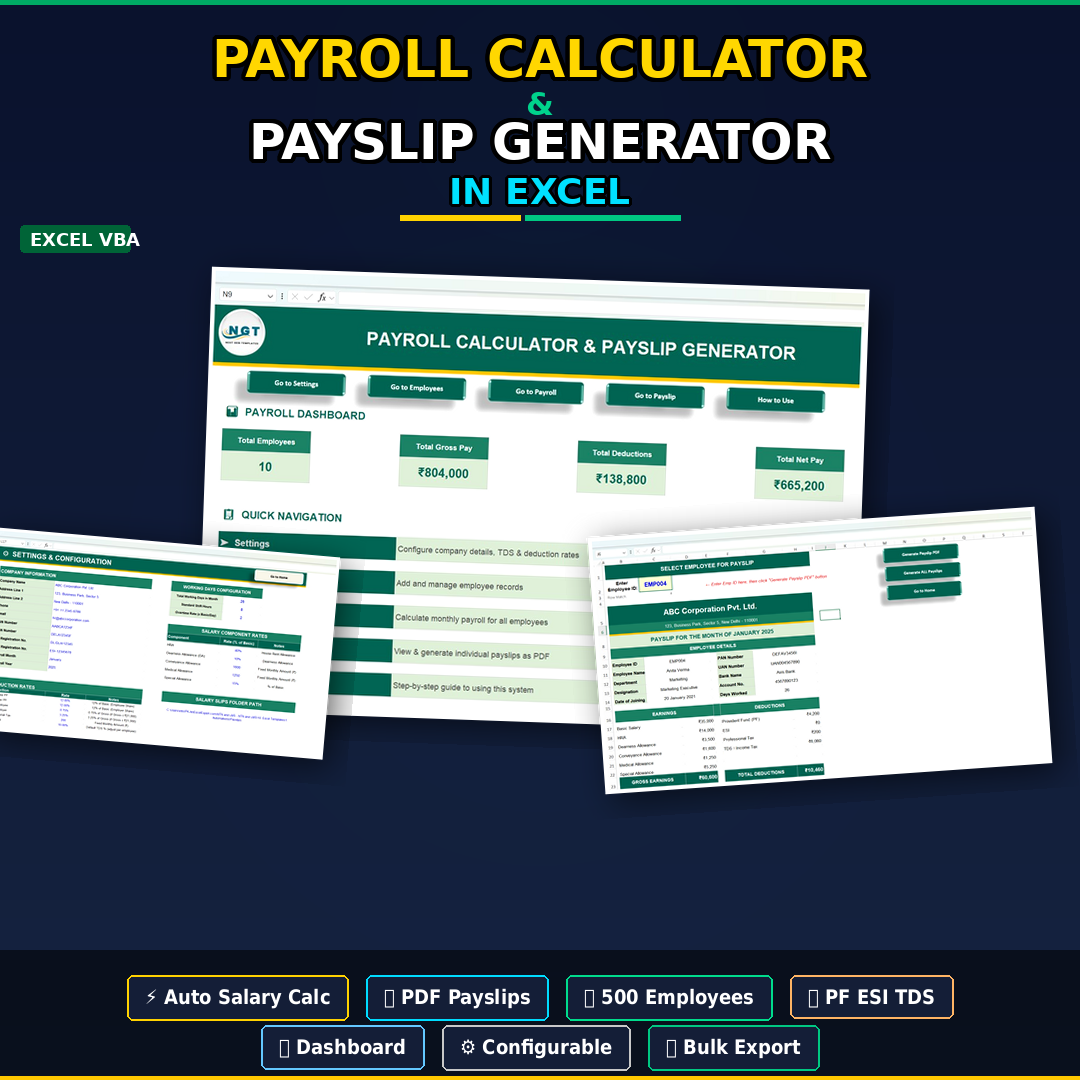
Payroll Calculator and Payslip Generator in Excel
Tax brackets, pay frequencies, a payslip for every employee and a 7 day trial, ready to use for your team.
Your next step: download the file, swap in your own team and compare the net total with what you paid last week.
Frequently asked questions
How do you calculate payroll in Excel?
List each employee with an hourly rate and hours worked, split the hours into regular and overtime, multiply by the rates to get gross pay, then subtract deductions and taxes to reach net pay.
What is the formula for gross to net pay?
Net pay equals gross pay minus the pre-tax deduction, income tax and payroll taxes. In the template that is gross minus retirement, income tax and Social Security plus Medicare.
How do you calculate overtime pay in Excel?
Take the hours above the threshold with MAX(0, hours minus threshold), then multiply them by the hourly rate and the overtime multiplier, usually 1.5.
How do you make a payslip in Excel?
Add a drop-down with the employee names and use INDEX and MATCH to pull that person's gross pay, deductions and net pay from the register, then save the sheet as a PDF.
Does this payroll template work in Google Sheets?
Yes. Upload the file to Google Drive and open it with Google Sheets. The formulas, drop-downs and formats work there.
Free download
Payroll Template practice file (.xlsx)
Working formulas, sample data and a How to use sheet. Opens in Excel, or import it into Google Sheets.

Want the finished version?
Cash Flow Template in Excel
Track monthly cash in and out with automatic net cash and closing balance.
View the pro template
PK is the founder of PK: An Excel Expert and NextGenTemplates.com and a corporate trainer in Excel, VBA and Power BI. Since 2020 he and his team have built Excel and Google Sheets tutorials and templates for business users.
Education only. Not financial, tax or investment advice.