

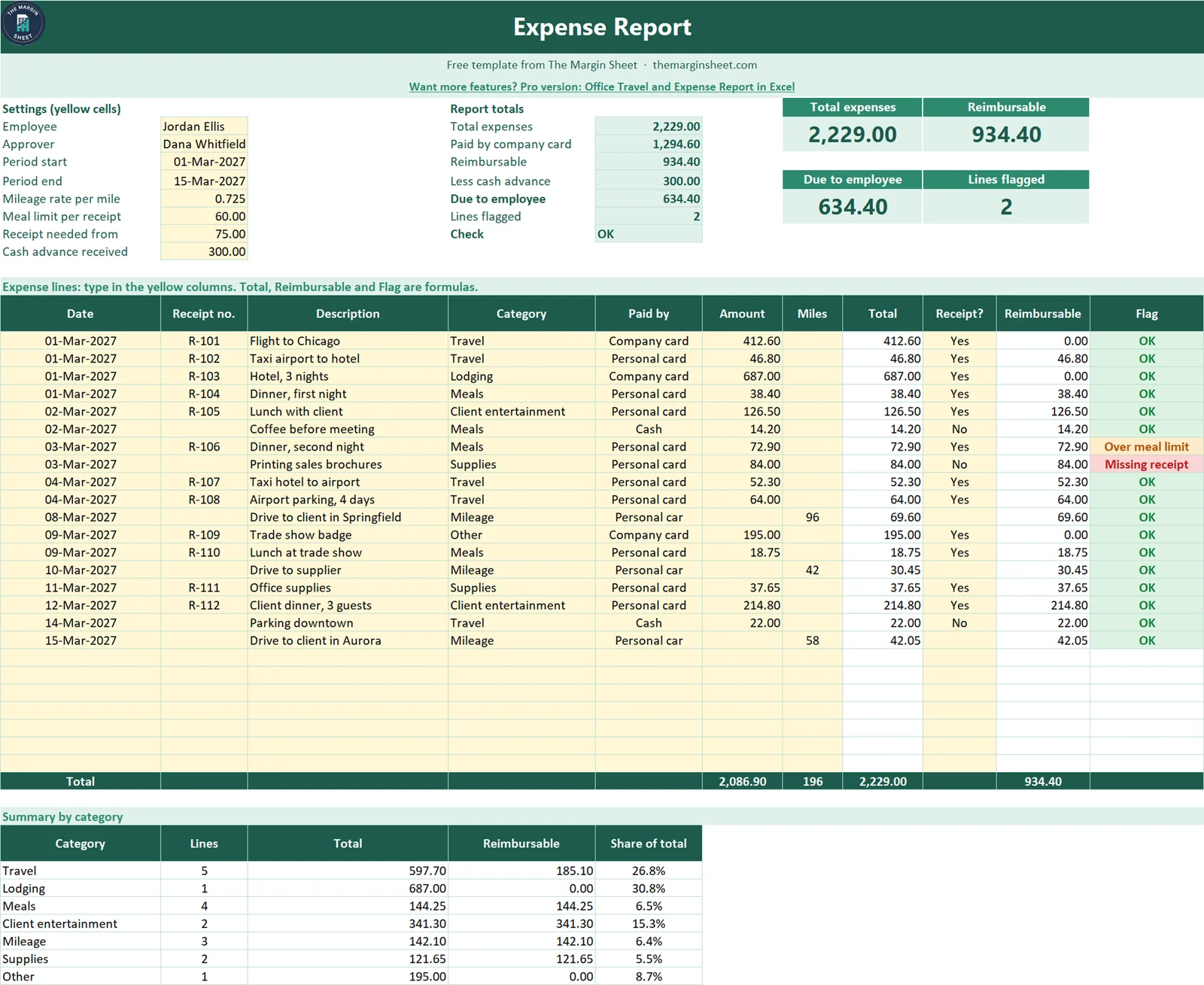
An expense report template is a form where an employee lists every business expense for a period, with a receipt, a category and how it was paid, so the company can check it and pay the money back. The free expense report template below adds up the receipts, prices mileage at your rate, keeps company card spend apart and shows the amount due to the employee after any cash advance. In the sample, a two week sales trip comes to 2,229.00, of which 934.40 is reimbursable and 634.40 is still owed to the employee.
Free download
Expense Report Template (.xlsx, also opens in Google Sheets)
Working formulas, sample data and a How to use sheet. Opens in Excel, or import it into Google Sheets.
What an expense report needs to show
Whoever approves the report has three questions. Was the money spent on business? Is there proof? Who paid for it in the first place? A good expense report answers all three on one page. Each line needs a date, a short description, a category, the payment method, the amount and a note of whether a receipt is attached. The totals need to split what the company already paid from what the employee paid personally, because only the second part is reimbursed.
Most companies also have a few simple rules: a limit per meal, a mileage rate for personal cars, and an amount above which a receipt is required. Putting those rules into formulas means the report checks itself before anyone signs it.
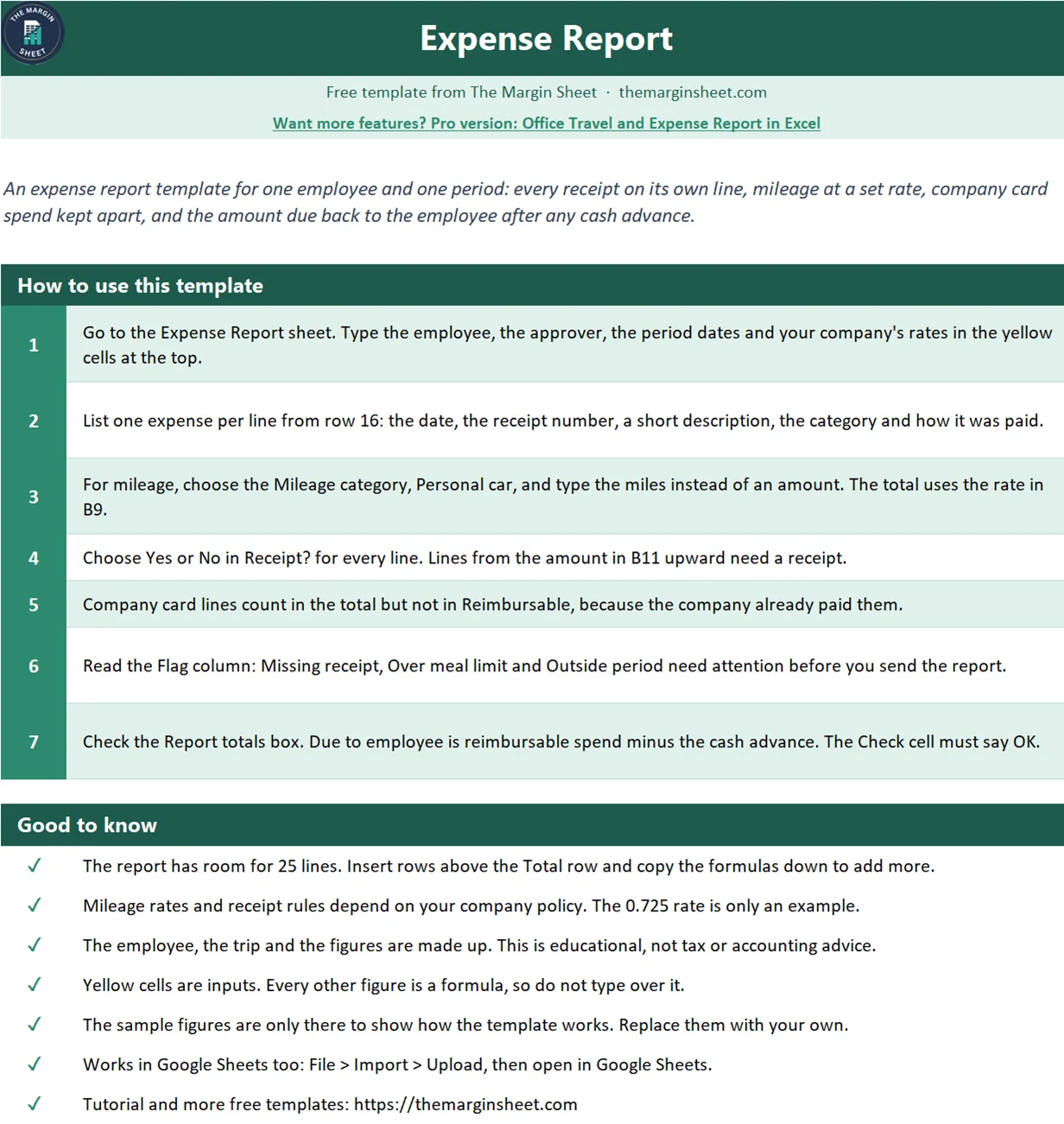
What is inside the free expense report template
The workbook has a How to use sheet and one Expense Report sheet. It has no macros and opens in Google Sheets. Eight yellow cells at the top hold the employee, the approver, the period dates, the mileage rate, the meal limit, the receipt threshold and any cash advance. A Report totals box and four cards show the total, the reimbursable amount, the amount due and the number of flagged lines. Below that is the expense table with room for 25 lines and a summary by category.
The sample is a made up sales manager, Jordan Ellis, on a trip to Chicago and three local client visits between 1 and 15 March 2027. The mileage rate is 0.725 per mile, the meal limit is 60.00 per receipt, a receipt is needed from 75.00 and the cash advance was 300.00.
Who this template is for
- Employees who travel or spend their own money on work and want to be paid back quickly.
- Small business owners and office managers who approve expenses without an expense app.
- Freelancers who pass travel costs on to clients and need a clean list to attach to the invoice.
This is educational content, not tax or accounting advice. Your company policy sets the real rules, so check it before you file.
How to build the expense report step by step
The expense table starts in row 16. Column A is the date, B the receipt number, C the description, D the category, E the payment method, F the amount, G the miles and I whether a receipt is attached. Those are typed. Column H is the total, J the reimbursable amount and K the flag, and all three are formulas. The rates live in B9 to B12.
Step 1: Drop-down lists for category, payment and receipt
Free text categories break every total. Select D16:D40, open Data, then Data Validation, choose List and type the seven categories: Travel, Lodging, Meals, Client entertainment, Mileage, Supplies and Other. Do the same for the payment column with Personal card, Cash, Company card and Personal car, and for the receipt column with Yes and No. In Google Sheets the menu is Data, then Data validation.
Step 2: The line total, with mileage at your rate
Most lines simply use the amount. Mileage lines have no receipt and no amount, only miles, so the formula multiplies them by the rate. In H16:
=IF(A16="","",IF(D16="Mileage",G16*$B$9,F16))
The drive to the client in Springfield is 96 miles, so it shows 69.60. The three drives in the sample cover 196 miles and come to 142.10. If you need a full record of every trip, keep it in the mileage log template and copy the monthly total here.
Step 3: Reimbursable amount
The company does not pay twice for what it already paid on its own card. In J16:
=IF(H16="","",IF(E16="Company card",0,H16))
The flight, the hotel and the trade show badge were on the company card, so they show 0.00 here. They still count in the total expenses, because the approver needs to see the full cost of the trip.
Step 4: The flag that checks your policy
Column K tests three rules in order: the date must fall inside the period, a line from the receipt threshold up needs a receipt, and a meal cannot go over the limit. In K16:
=IF(A16="","",IF(OR(A16<$B$7,A16>$B$8),"Outside period",IF(AND(D16<>"Mileage",I16<>"Yes",H16>=$B$11),"Missing receipt",IF(AND(D16="Meals",H16>$B$10),"Over meal limit","OK"))))
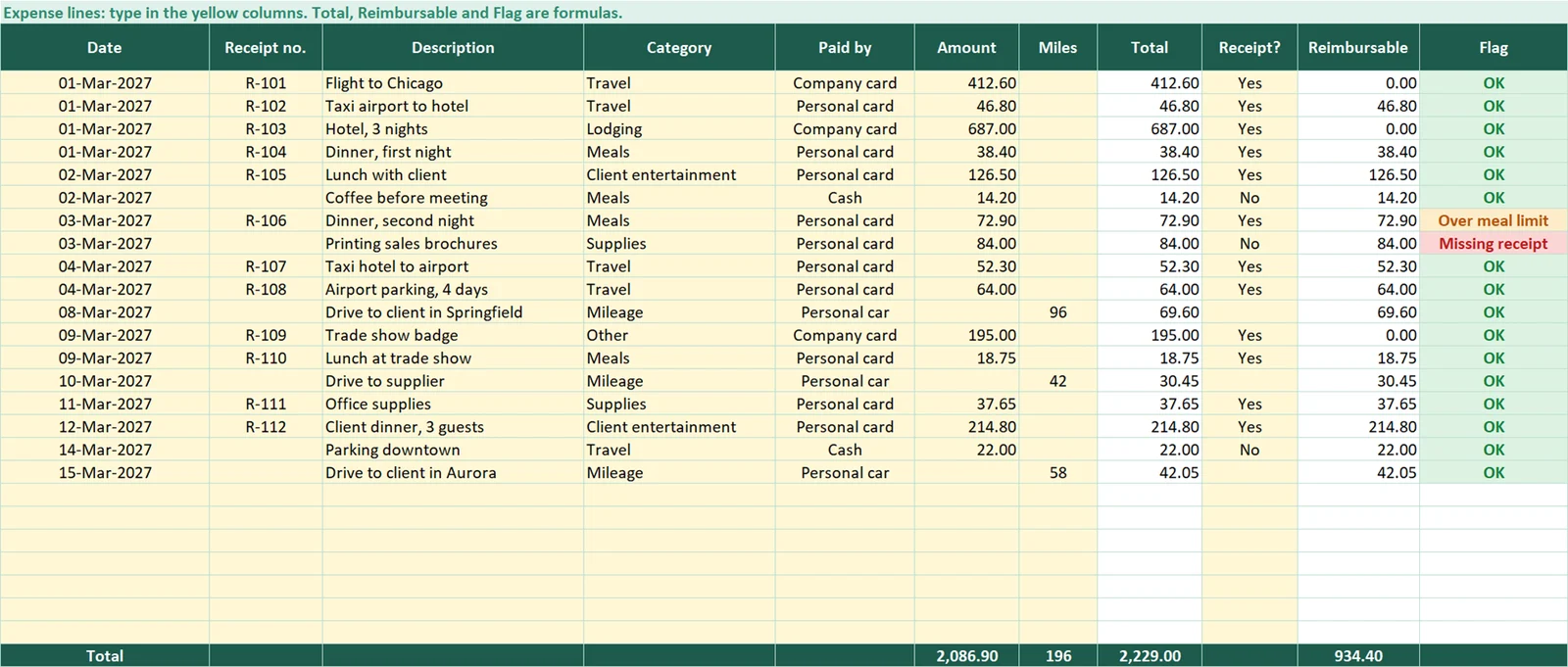
Two lines in the sample are flagged. The printing of sales brochures cost 84.00 with no receipt, which is above the 75.00 threshold. The second dinner cost 72.90, above the 60.00 meal limit. The coffee for 14.20 and the parking for 22.00 also have no receipt, but they are small enough to pass. Conditional formatting turns the flags red, amber or green.
Step 5: The report totals
The box at the top adds everything up. Company card spend in E6 uses SUMIF on the payment column:
=SUMIF(E16:E40,"Company card",H16:H40)
The sample shows 1,294.60 paid by the company and 934.40 reimbursable. The amount due to the employee in E9 is the reimbursable amount minus the cash advance, so 934.40 minus 300.00 leaves 634.40. If the advance is bigger than the spend, the result turns negative and shows what the employee owes back.
Lines flagged in E10 counts every typed line that is not OK:
=COUNTA(A16:A40)-COUNTIF(K16:K40,"OK")
A check cell in E11 confirms that company spend plus reimbursable spend equals the total:
=IF(ROUND(E5-E6-E7,2)=0,"OK","Totals differ")
Step 6: Summary by category
Under the table, a small summary uses COUNTIF and SUMIF for each category. For the category total in C45:
=SUMIF($D$16:$D$40,A45,$H$16:$H$40)
Travel comes to 597.70 and lodging to 687.00, but only 185.10 of the travel is reimbursable and none of the lodging, because the flight and the hotel went on the company card. Client entertainment is 341.30, and it is all reimbursable. The share column divides each category by the report total, which is the view a finance team uses to spot a budget that is drifting.
From expense report to your books
Once the report is approved, the reimbursement is a business expense like any other. Record the payment by category in the bookkeeping template in Excel so your profit and loss stays right. If you repay staff through payroll rather than by transfer, keep it separate from wages in the payroll template, because an accountable plan reimbursement is not taxable pay in most cases. Ask your adviser how this works where you are.
Common mistakes
- Claiming company card spend twice. List it so the total is complete, but it must not be reimbursed.
- Typing mileage as an amount. Type the miles and let the rate do the work, so a rate change updates every line.
- Losing the receipt numbers. Number each receipt and write the same number on the paper or file name.
- Mixing two periods in one report. The Outside period flag catches dates that do not belong.
- Forgetting the cash advance. Without it the employee is paid back more than they spent.
Adapt the template to your company
Change the categories to match your chart of accounts, set your own meal limit and receipt threshold, and add a per diem column if your company pays a daily rate. To report more than 25 lines, insert rows above the Total row and copy the formulas down. Save one file per employee per period, and the reports stay easy to find.
Want more than the free file?
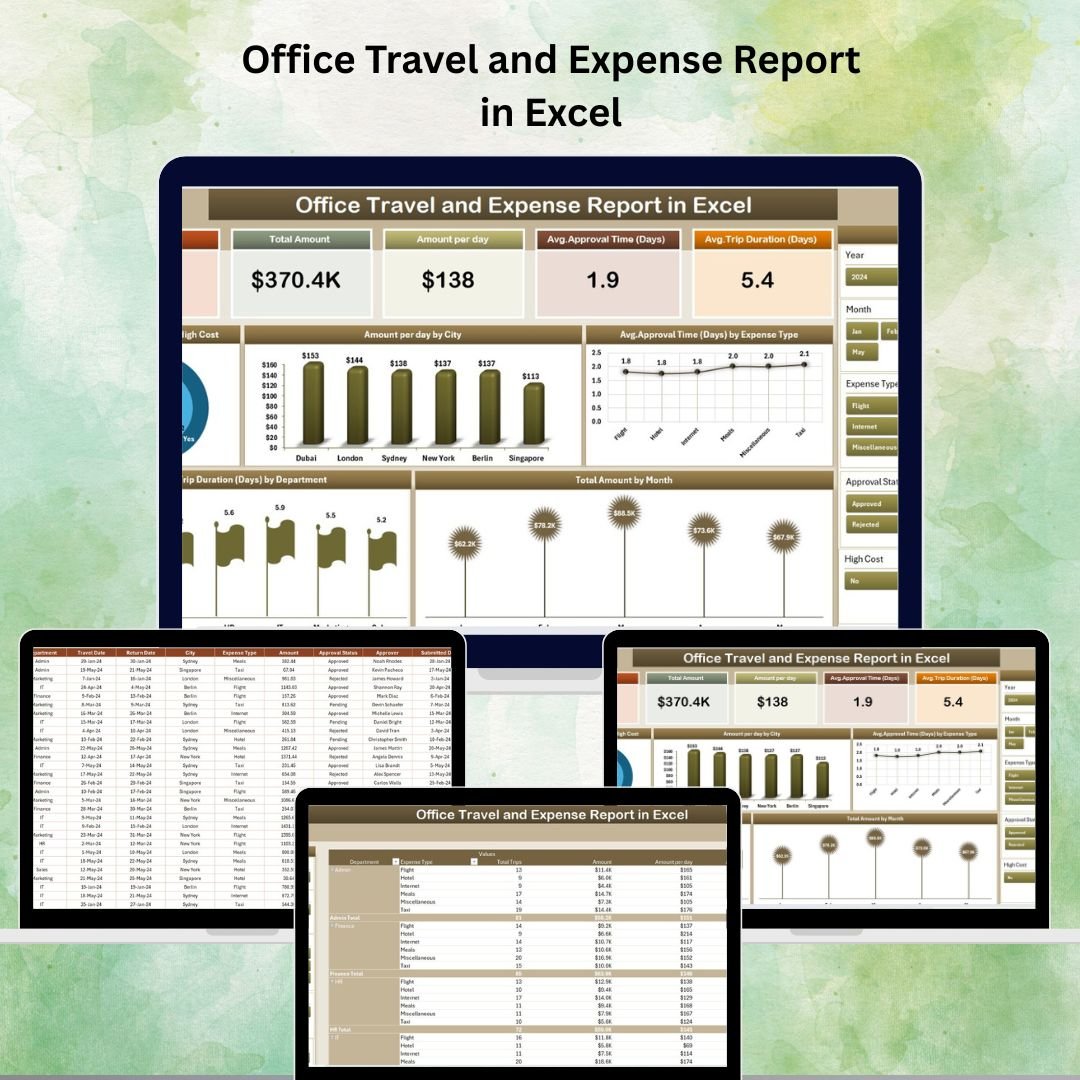
Office Travel and Expense Report in Excel
A complete travel and expense report system in Excel with trip records, expense categories, approvals and a dashboard of spend by employee and month.
Your next step: download the file, type your own rates in the yellow cells and add the receipts from your last trip.
Frequently asked questions
What should an expense report include?
Each line needs the date, a description, a category, how it was paid, the amount and whether a receipt is attached. The report needs the employee, the period, the total, the reimbursable amount and the amount due after any cash advance.
How do I calculate the reimbursement on an expense report?
Add up every line the employee paid personally and leave out anything paid on a company card. Then subtract any cash advance. In the template this is =E7-E8, the reimbursable total minus the advance.
How do I add mileage to an expense report in Excel?
Type the miles in their own column and multiply by the rate in one settings cell, for example =IF(D16="Mileage",G16*$B$9,F16). When the rate changes you only update one cell.
Can Excel flag missing receipts automatically?
Yes. A formula such as =IF(AND(I16<>"Yes",H16>=$B$11),"Missing receipt","OK") checks each line against the receipt threshold, and conditional formatting colors the result.
Does this expense report template work in Google Sheets?
Yes. Upload the file to Google Drive and open it with Google Sheets. The drop-down lists, SUMIF, COUNTIF and the conditional formatting all work there.
Free download
Expense Report Template (.xlsx, also opens in Google Sheets)
Working formulas, sample data and a How to use sheet. Opens in Excel, or import it into Google Sheets.
Want the finished version?
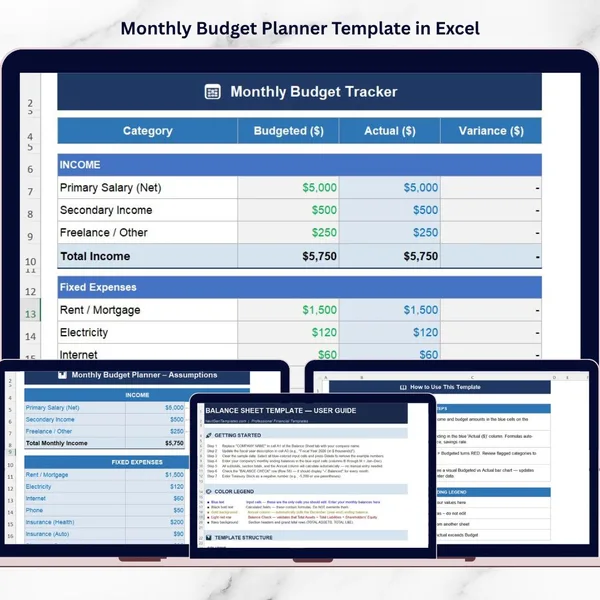
Monthly Budget Planner Template in Excel
Plan income and spending and compare budget against actual every month.
View the pro template
PK is the founder of PK: An Excel Expert and NextGenTemplates.com and a corporate trainer in Excel, VBA and Power BI. Since 2020 he and his team have built Excel and Google Sheets tutorials and templates for business users.
Education only. Not financial, tax or investment advice.