

A car loan calculator in Excel takes the price of the car, adds sales tax and fees, subtracts your down payment and trade-in, and then works out the monthly payment with the PMT function. In the free template below, a 32,500.00 car financed at 6.90% APR for 60 months costs 528.91 a month and 4,959.89 in interest. Adding 100.00 a month on top saves 937.18 and ends the loan 11 months early.
Free download
Car Loan Calculator (.xlsx, also opens in Google Sheets)
Working formulas, sample data and a How to use sheet. Opens in Excel, or import it into Google Sheets.
Why a car loan needs its own calculator
Most online calculators ask for a loan amount and stop there. A real car deal starts with the sticker price and then moves in both directions. Sales tax and dealer fees push the amount up. Your cash down payment and the equity in your old car push it down. If you still owe money on the trade-in, part of that equity disappears before it reaches the deal.
Those steps decide the amount you actually borrow, and every dollar you borrow is charged interest for the whole term. A generic loan amortization schedule in Excel shows how any loan pays down. This sheet adds the car-specific steps in front of it, so you can test a deal at the dealership before you sign.
What is inside the free car loan calculator
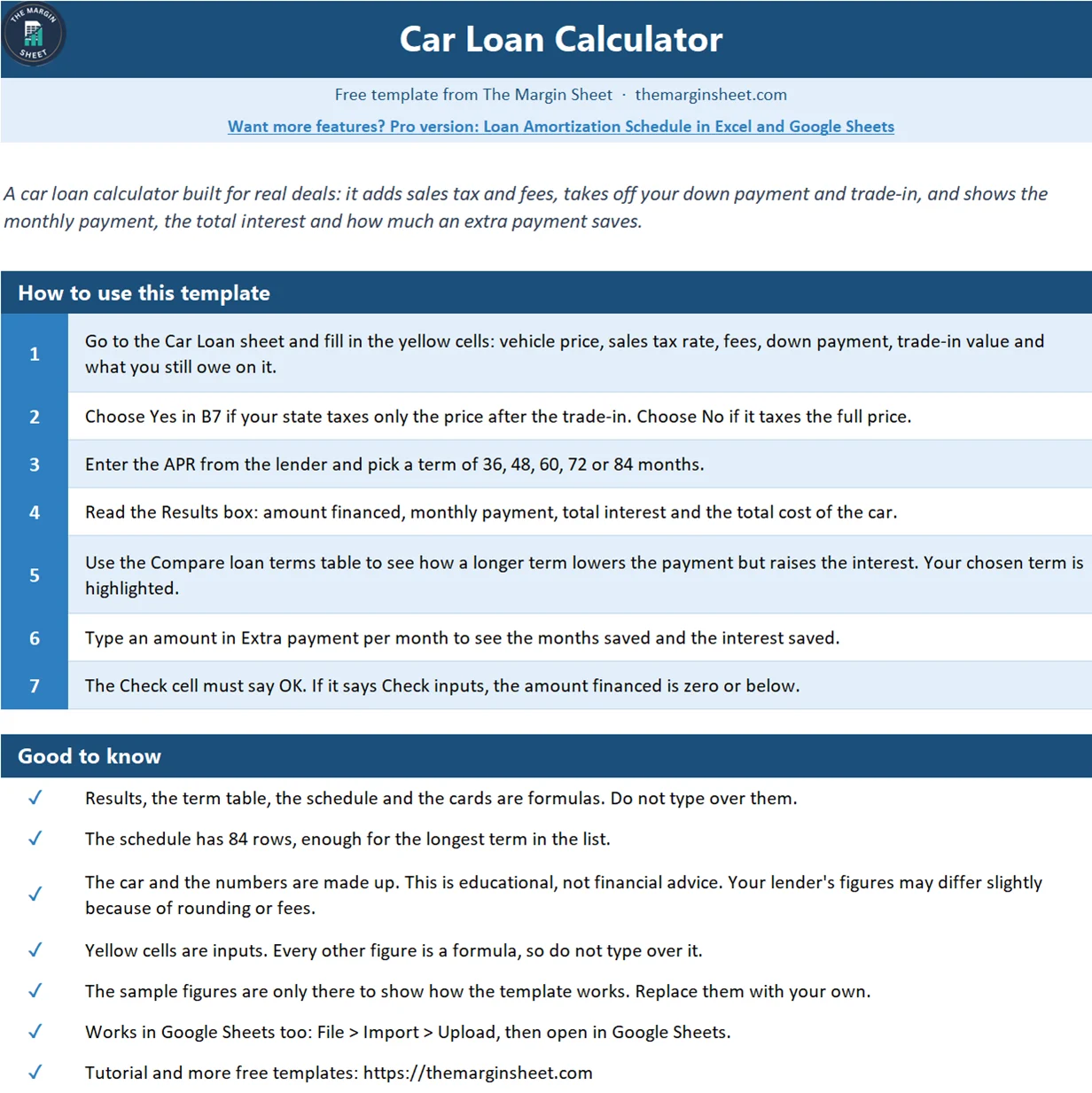
The workbook has a How to use sheet and one Car Loan sheet. It has no macros and opens in Google Sheets. The yellow cells hold eleven inputs. A Results box shows the amount financed, the monthly payment, the total interest and the total cost of the car. Four cards repeat the main numbers, a table compares five loan terms, and an 84 row schedule shows every payment with an optional extra amount.
The sample car and the numbers are made up: a 32,500.00 car, 6.25% sales tax, 1,150.00 of fees, 4,000.00 down and a 6,500.00 trade-in with 2,000.00 still owed on it.

Who this calculator is for
- Anyone shopping for a new or used car who wants to check the dealer’s payment quote.
- A buyer choosing between a 48, 60 or 72 month loan.
- Someone who already has a car loan and wants to see what an extra payment each month would save.
This is educational content, not financial advice. Lenders round differently and some add fees to the loan, so always compare with the official loan disclosure before you sign.
How to build the car loan calculator step by step
The inputs sit in column B. B5 is the vehicle price, B6 the sales tax rate, B7 a Yes or No drop-down for the trade-in tax credit, B8 the fees, B9 the down payment, B10 the trade-in value and B11 what you still owe on it. B12 is the APR, B13 the term in months, B14 the first payment date and B15 the extra payment.
Step 1: Work out the sales tax
Many US states tax only the price after the trade-in, while some tax the full price. The drop-down in B7 handles both. In E5:
=ROUND((B5-IF(B7="Yes",B10,0))*B6,2)
With the trade-in credit the taxed price is 26,000.00 and the tax is 1,625.00. Without it, the tax on the full price would be 2,031.25, so the credit is worth 406.25 here. Check your own state’s rule before you rely on it.
Step 2: Find the amount financed
Start with the price, add the tax and fees, then take off the cash down payment and the trade-in equity. Equity is the trade-in value minus what you still owe. In E6:
=B5+E5+B8-B9-(B10-B11)
The trade-in is worth 6,500.00 but 2,000.00 is still owed, so only 4,500.00 goes toward the new car. The loan comes to 26,775.00. If you owe more than the old car is worth, the formula adds the shortfall to the new loan, which is exactly what a dealer does.
Step 3: Calculate the monthly payment with PMT
PMT needs the rate per period, the number of payments and the amount borrowed. Divide the APR by 12 for a monthly rate. In E7:
=IF(B12=0,E6/B13,PMT(B12/12,B13,-E6))
The result is 528.91 a month. The minus sign in front of E6 makes PMT return a positive number. The IF handles a 0% dealer offer, because PMT with a zero rate is simply the loan divided by the months.
Step 4: Total interest and total cost
Total interest is everything you pay minus what you borrowed. In E8:
=E7*B13-E6
That is 4,959.89 over 60 months. The total cost of the car in E9 adds the cash down payment and the trade-in equity to all the loan payments:
=B9+(B10-B11)+E7*B13
The car is listed at 32,500.00, but tax, fees and interest bring the real cost to 40,234.89. Seeing that number before you sign is the main reason to build this sheet.
Step 5: Compare loan terms side by side
The table under the inputs repeats PMT for 36, 48, 60, 72 and 84 months, using the same amount and APR. In B20:
=IF($B$12=0,$E$6/A20,PMT($B$12/12,A20,-$E$6))
Total interest in C20 is =B20*A20-$E$6. Conditional formatting highlights the row that matches your chosen term.

The pattern is clear. Going from 60 to 72 months lowers the payment by 73.71 but adds 1,039.70 of interest. An 84 month loan costs 7,060.11 in interest, which is more than twice the 2,943.38 of a 36 month loan. Long terms also mean you can owe more than the car is worth for years, because cars lose value fast.
Step 6: Add an extra payment to the schedule
The schedule starts in row 29. Each row takes the balance from the row above, adds a month of interest and pays it down. The interest in H29 is =C29*$B$12/12, and the extra amount in E29 is capped so the last payment never goes past zero:
=IF(A29="","",MAX(0,MIN($B$15,C29+H29-D29)))
The payment number in column A stops counting once the balance reaches zero, so the months to payoff in E10 is just =MAX(A29:A112). With 100.00 extra a month, the loan ends after 49 payments, on 15 December 2030, and the interest falls to 4,022.70. That is 937.18 saved. For a closer look at how interest builds on a balance over time, see the compound interest calculator.
Step 7: Add a check cell
The check in E15 confirms there is something to finance and that the schedule really reaches zero:
=IF(AND(E6>0,MIN(I29:I112)<0.01),"OK","Check inputs")
MIN skips the blank rows after payoff, so the test still works when the loan ends early. If the down payment and trade-in cover the whole car, the cell says Check inputs.
Common mistakes
- Using the APR as a monthly rate. 6.90% is a yearly rate. Divide it by 12 inside PMT, or the payment comes out far too high.
- Forgetting tax and fees. They are often rolled into the loan. Leave them out and the payment you plan for is too low.
- Counting the full trade-in value. Only the equity helps. Subtract what you still owe first.
- Judging a deal by the payment alone. A longer term always lowers the payment. Compare the total interest and the total cost instead.
- Mixing up the term. Enter months, not years. A 5 year loan is 60.
Adapt the calculator to your own deal
Replace the yellow cells with the numbers from your quote. Try a bigger down payment, a shorter term or a better APR from your bank or credit union, and watch the total cost change. If you are also planning a home purchase, the mortgage calculator in Excel uses the same PMT idea with property tax and insurance added.

Want more than the free file?
Loan Amortization Schedule in Excel and Google Sheets
Up to 360 payments, monthly and one-time extra payments, a dashboard with six tiles and four charts, and a Compare Loans sheet for three offers. Excel and Google Sheets editions.
Your next step: download the file, enter the price and APR from your quote and compare the 60 and 72 month rows before you talk to the dealer.
Frequently asked questions
How do I calculate a car loan payment in Excel?
Use the PMT function with the monthly rate, the number of months and the amount financed: =PMT(APR/12, months, -amount). For a 26,775 loan at 6.9% for 60 months, the payment is 528.91.
How do I include a trade-in in a car loan calculation?
Subtract the trade-in equity, which is the trade-in value minus what you still owe on it, from the price plus tax and fees. If you owe more than the car is worth, the shortfall is added to the new loan.
How much does an extra payment save on a car loan?
In the sample, paying 100 extra each month on a 60 month loan at 6.9% saves about 937 in interest and ends the loan 11 months early. The schedule in the free file shows the exact figures for your own loan.
Is a 72 month car loan a bad idea?
It lowers the payment but raises the total interest. In the sample, moving from 60 to 72 months saves about 74 a month and costs about 1,040 more in interest.
Does this car loan calculator work in Google Sheets?
Yes. Upload the file to Google Drive and open it with Google Sheets. PMT, EDATE, the drop-downs and the formatting all work there.
Free download
Car Loan Calculator (.xlsx, also opens in Google Sheets)
Working formulas, sample data and a How to use sheet. Opens in Excel, or import it into Google Sheets.
Want the finished version?
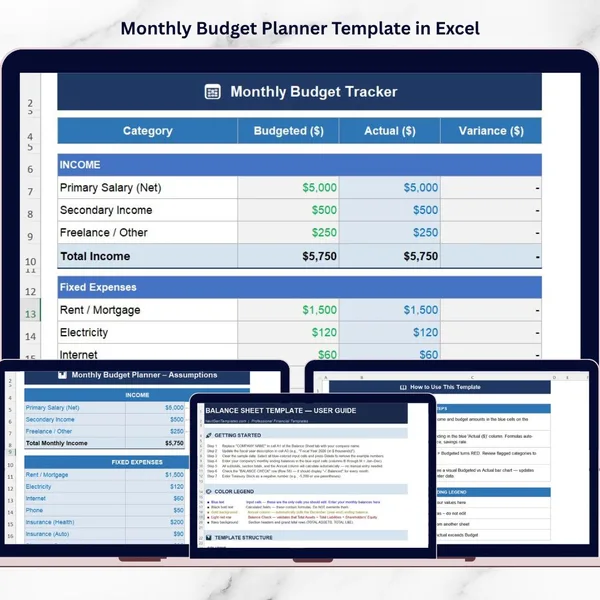
Monthly Budget Planner Template in Excel
Plan income and spending and compare budget against actual every month.
View the pro template
PK is the founder of PK: An Excel Expert and NextGenTemplates.com and a corporate trainer in Excel, VBA and Power BI. Since 2020 he and his team have built Excel and Google Sheets tutorials and templates for business users.
Education only. Not financial, tax or investment advice.